AI Humanizer
AI humanizer that keeps your meaning
Turn stiff AI-assisted drafts into clear, natural writing without losing your meaning or citations.
- Email or Google
- Private by default
- Keeps your meaning
- Failed runs are never charged
Keeps your meaning
Rewrites sentence by sentence and flags any number or name the rewrite adds.
You stay in control
Pick the model and how strongly it rewrites, then compare every change.
Check it after
Run the AI detector on the result before you submit.
Private by default
Your text is saved only to your own History, and you can delete it anytime.
What changes
Why detectors flag AI text
Generated text is even and predictable. The humanizer rewrites it the way a person would.
Varied rhythm
Mixes short and long sentences the way people actually write.
Stock phrases removed
Replaces filler transitions and clichés with plain wording.
Meaning kept
Built to carry your argument and citations over. Any name or number the rewrite adds is flagged so you can check it.
Level control
Choose a light touch or a thorough rewrite, from level 1 to 10.
Two models
Standard for everyday text, Advanced for writing that needs more work.
Built-in check
Run the AI detector on the result before you submit.
Side by side
See the difference
AI draft
In today's fast-paced digital era, it is undeniable that artificial intelligence plays an increasingly pivotal role in education.
Humanized
AI is already part of everyday teaching, from lesson planning to feedback.
How it works
From draft to ready in four steps
- 1
Paste your draft
Paste or type your text, anything from a paragraph to a full essay within your plan's word limit.
- 2
Choose model and level
Standard for everyday writing, Advanced for tougher text. Raise the level to rewrite more strongly.
- 3
Humanize
Every sentence is rewritten, and any name or number the rewrite adds is flagged for you.
- 4
Review every change
See each edit highlighted, swap in alternative sentences, then copy the clean version.
One workspace
Everything in one place
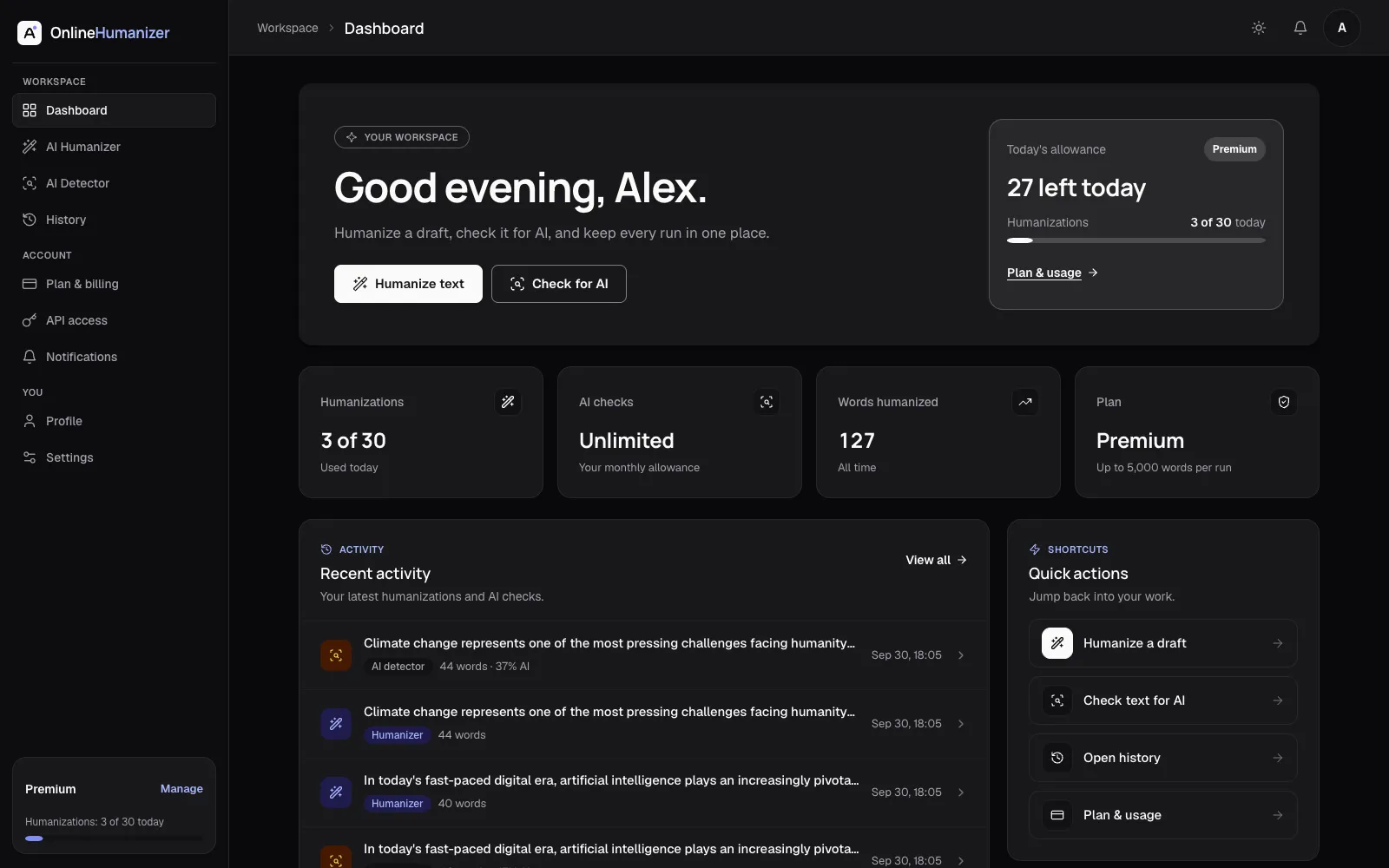
Every humanization and AI check is saved to your dashboard, with your allowance in view. Reopen any run from History and pick up where you left off.
Full history
Reopen any run from History and pick up where you left off.
Usage overview
See your remaining allowance at a glance.
Private by default
Your text lives only in your History. Delete it anytime.

What an AI humanizer does
An AI humanizer rewrites AI-assisted text so it reads the way a person would write it. Instead of swapping a few synonyms, it rebuilds sentence rhythm and phrasing while keeping your argument, facts and citations in place.
It is different from a paraphraser. A paraphraser usually changes wording; a humanizer also targets the even, predictable patterns that make generated text sound stiff. You choose a model and rewrite level, then review every change before you copy the result.
Standard, Advanced and rewrite levels
Standard handles everyday writing and is the right choice for most drafts. Advanced is for text that needs more work. The rewrite level runs from 1 (a light touch) to 10 (a fuller rewrite), so you can keep more of your original phrasing or push the result further.
After a run, every edit is highlighted and alternative sentences are offered for the lines that changed most. Use the built-in AI detector to check how the result reads before you submit it.
Citations, names and numbers
The humanizer is built to leave your argument and sources where you put them, but any rewrite can change a detail. When the output contains a name, number or claim that was not in your draft, it is flagged so you can check it. Before you use the result, confirm that every citation still supports the sentence it is attached to. Our guide to rewriting without changing your meaning has a step-by-step review checklist.
Accounts, plans and word limits
You need an account and a paid plan to run the humanizer; there is no free tier. Each plan sets a daily number of humanizations and a maximum number of words per request, and a run that fails is not counted. The pricing page lists the current allowances for every plan. Developers on Premium can also call the same humanizer from the API.
What happens to your text
Your text is sent to our AI providers to produce the rewrite. Each run is saved to your own History so you can reopen it, and it stays there until you delete it or delete your account. The privacy policy explains what is collected and shared.
What it can and cannot do
The humanizer improves natural phrasing, but no tool can guarantee a particular detector score or preserve every nuance automatically. Read the flagged names and numbers, check that your meaning still holds, and keep your own judgement about the final text. For background, read how a humanizer differs from a paraphraser and how AI detectors decide what reads as AI.
FAQ
Questions, answered
What does the AI humanizer do?
It rewrites AI-assisted text so it reads naturally, while keeping your meaning. You choose the model and how strongly it rewrites.
How is an AI humanizer different from a paraphraser?
A paraphraser mainly swaps wording. The AI humanizer also reworks sentence rhythm and phrasing to remove the even, predictable patterns that make generated text sound stiff. You still review every change before you use the result.
Which models and rewrite levels can I use?
Standard and Advanced are available, with a rewrite level from 1 (a light touch) to 10 (a fuller rewrite).
Can the humanizer guarantee a detector score?
No. AI detection is probabilistic, and no tool can guarantee a particular score. The humanizer improves natural phrasing, but you should review names, numbers and claims, then check the result with the AI detector.
Can an AI detector be wrong?
Yes. Every AI detector makes mistakes, including on text a person wrote. Use a score as a guide to review your writing, not as proof either way.
Is AIPlag Report affiliated with any detection provider?
No. AIPlag Report is an Online Humanizer product. It is not affiliated with, certified by, or endorsed by any third-party detection provider. Reports are produced with third-party detection services, and we show you the report they return.
Do you keep my text?
Your runs are saved to your History so you can reopen them. You can delete one item or clear all of it at any time, and deleting your account removes everything.
How do I get a plan?
Choose a plan and pay on the secure checkout page. Your plan turns on when the payment is confirmed.
Does Online Humanizer have an API?
Yes. API access is included with Premium and provides synchronous humanize and scan endpoints. The API page lists authentication, request and response fields, limits and error handling.
Is there a free plan?
No. You need an account and a paid plan to run the humanizer and the AI detector. The pricing page lists each plan's allowances, and failed runs are never counted.
Can I upload a document to the humanizer?
No. Paste or type your text into the humanizer or the AI detector. Document upload is part of AIPlag Report only.
Is the AI detector a plagiarism checker?
No. The AI detector estimates whether writing looks AI-generated. It does not compare your text with other sources, so it cannot find copied passages.
Which file types can I upload for a report?
When AIPlag Report is available, it accepts PDF, Word (.doc and .docx), plain text, RTF and PowerPoint (.pptx), up to 20 MB.
Get started today
Ready to refine your draft?
Create an account to keep every run in your History, or paste your text above to start.
- Private by default
- Failed runs are never charged
- Start in seconds